

Josh Brown
CEO & Founder, Josh Brown Consulting
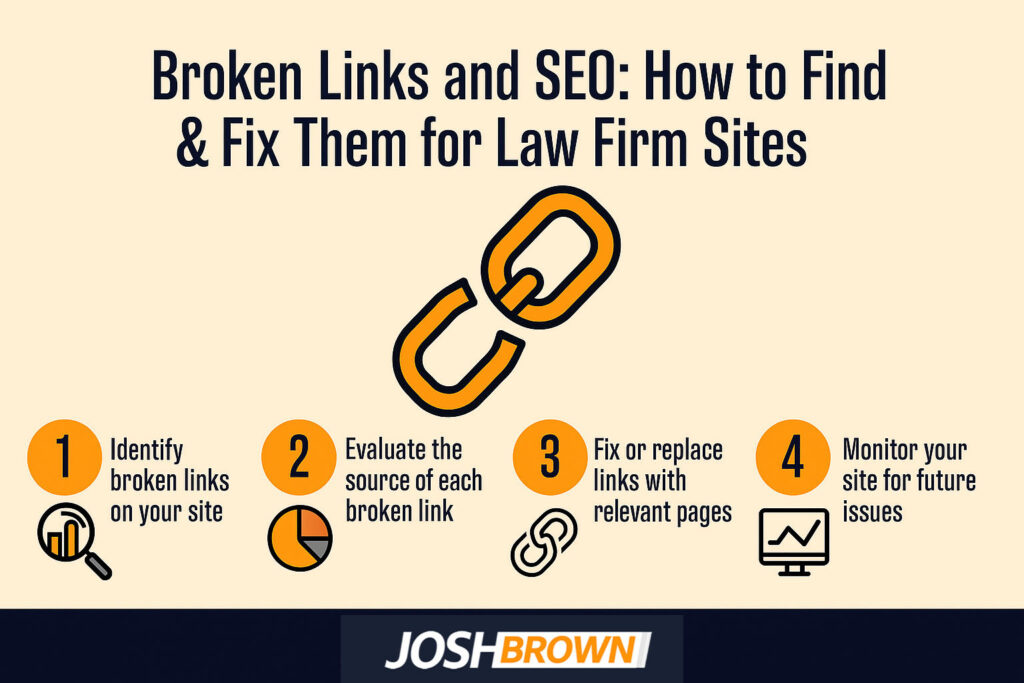
Broken links are hyperlinks on a law firm website that no longer lead to the intended destination, producing error pages such as 404. Broken internal links occur within the same website, while broken backlinks occur when external sites link to missing pages. A 404 error signals that the requested page could not be found.
Broken links affect SEO by harming user experience, increasing bounce rates, and reducing search engine crawl efficiency. A study by Google Search Central titled “Crawl Budget Management For Large Sites” in 2020 explains that poor link health, like broken links and duplicate URLs, wastes crawl budget and reduces indexing, which hurts organic traffic.
Broken links result from deleted pages, URL changes, server issues, or incorrect formatting. Law firms find broken links using Google Search Console, Ahrefs, Screaming Frog, or Broken Link Checker. In Google Search Console, the “Coverage” and “Not Found (404)” reports highlight missing pages.
Fixing broken links involves implementing 301 redirects, updating URLs, restoring missing pages, or replacing links with valid resources. Preventing them requires regular audits, consistent URL structures, and proper redirects during updates. Broken link building offers an SEO strategy where law firms identify broken links on external sites and suggest their own content as replacements. The best tools for large-scale detection include Screaming Frog, Ahrefs, SEMrush, and Dead Link Checker.
What is a broken link on a law firm website?
A broken link on a law firm website is a hyperlink error that directs users to a dead page instead of the intended content, generating a 404 error. In law firm SEO, broken links weaken client experience, increase bounce rates, and harm search ranking by reducing crawl efficiency. An example is when “/practice-areas/family-law” points to a missing page and loads a 404 error instead of practice details.
Why do broken links affect SEO?
Broken links affect SEO because they interrupt search engine crawl paths, waste crawl budget, and block authority flow across a law firm’s website. Studies on how broken links impact law firm SEO rankings show a direct correlation between link health and visibility.
Broken links reduce user experience quality, increase bounce rate, and signal ranking issues to search engines. A study by Google Search Central titled “SEO Link Best Practices” in 2023 confirms that broken or non-crawlable links prevent Google from indexing pages, reducing visibility.
How to find broken links?
You can find broken links by using online link checkers, SEO crawlers, browser plugins, manual reviews, and analytics reports.
Listed below are the 5 steps to find broken links.
- Use online link checkers like Broken Link Checker or Dead Link Checker to scan site pages for dead URLs.
- Run SEO crawlers such as Screaming Frog, Ahrefs, or SEMrush to identify broken links at scale during a full site audit.
- Install browser plugins that highlight hyperlink errors while navigating a law firm website.
- Perform manual checking by clicking through internal links and verifying that each page loads correctly.
- Review analytics reports in Google Search Console under “Coverage” or “Not Found (404)” to monitor link errors affecting website maintenance.

How to find broken links in Google Search Console?
You can find broken links in Google Search Console by reviewing coverage reports and inspecting flagged URLs. The tool detects crawl errors, identifies not found errors, and supports link monitoring to maintain site health.
Listed below are the 3 ways to find broken links in Google Search Console.
- Log in to Google Search Console and open the “Coverage” report to view crawl errors.
- Inspect URLs flagged as “Not Found (404)” to confirm broken links.
- Export the data for action, such as setting redirects or updating broken pages.
A study by Ahrefs titled “96.55% of Content Gets No Traffic From Google. Here’s How to Be in the Other 3.45%” published in December 2023, analyzed 14 billion pages from their Content Explorer tool. It found that 96.55% of all pages get zero organic traffic from Google, largely due to issues like a lack of backlinks, poor keyword targeting, and mismatched search intent.
How to fix broken links in SEO for a law firm site
You can fix broken links in SEO for a law firm site by applying 301 redirects, updating URLs, removing outdated links, replacing content, and reclaiming backlinks. Law firms fix broken links as part of a law firm technical SEO audit to maintain site authority and client experience.
Listed below are 5 steps to fix broken links in SEO for a law firm site.
- Redirect broken pages with 301 redirects to relevant destinations.
- Update URL destinations to match active pages.
- Remove outdated links that no longer provide value.
- Replace broken URLs with fresh content that matches user intent.
- Reclaim backlinks via outreach by requesting updates to dead links.
What is a broken backlink?
A broken backlink is an inbound link from an external site that points to a missing or dead page on a law firm website. A broken backlink results in lost authority because link equity no longer flows to the intended destination, and referral traffic is lost when visitors click through and reach an error page.
What is a broken internal link?
A broken internal link is a hyperlink on a law firm website that points to a missing page within the same domain. Studies on how broken internal links disrupt site structure and equity show that they weaken navigation, reduce crawlability, and damage SEO health.
A broken internal link harms user experience by preventing smooth on-site linking. An example is when “/about-us/attorneys” leads to a 404 error instead of the attorney profile page.
What is the best broken link checker?
The best broken link checkers are Screaming Frog, Ahrefs, SEMrush, and Dead Link Checker. A study by Ahrefs titled “96.55% of Content Gets No Traffic From Google” in 2023 analyzed 14 billion pages and found that 96.55% get zero organic traffic, due to poor indexing and technical SEO issues.
Listed below are the 5 best broken link checkers.
- Screaming Frog: a desktop SEO tool that crawls entire sites and flags broken links during audits.
- Ahrefs: a cloud-based SEO platform that reports broken backlinks and internal errors.
- SEMrush: a site audit tool that states crawl errors and broken links.
- Dead Link Checker: a free online scanner that identifies dead pages across site URLs.
- Google Search Console: reports broken links under “Coverage” and “Not Found (404).”

What is broken link building?
Broken link building is an SEO strategy where a law firm identifies dead links on external websites and offers its own content as a replacement. Law firms use broken link building to secure backlinks through outreach, strengthen backlink building, and improve SEO by turning outdated resources into opportunities for content replacement.
What causes broken links?
Deleted pages, URL changes, typographical errors, and expired domains cause broken links.
Listed below are the 5 causes of broken links.
- Deleted pages that remove the original content.
- URL changes without proper redirects.
- Typographical errors in hyperlink formatting.
- Expired domains that no longer host content.
- Server issues that prevent pages from loading.
How to prevent broken links?
To prevent broken links, perform regular site audits, apply 301 redirects, update internal links, and use CMS plugins.
Listed below are the 5 steps to prevent broken links.
- Conduct regular site audits to identify errors promptly.
- Apply proper 301 redirects when changing URLs or removing pages.
- Update internal links whenever the site structure changes.
- Use CMS plugins or SEO tools that monitor broken links automatically.
- Monitor backlinks and request updates from external sites when URLs change.
What does a 404 mean?
A 404 means that the server response indicates a missing page, and the requested URL cannot be found. A hard 404 is a true HTTP status code showing a broken link to a non-existent page, while a soft 404 occurs when a page loads but signals missing content, creating confusion for user experience and search engines.