


Josh Brown
CEO & Founder, Josh Brown Consulting

A technical SEO audit for law firms is a diagnostic process that evaluates a legal website’s backend infrastructure to ensure it meets search engine standards for crawling, indexing, and ranking. It focuses on site architecture, speed, mobile usability, and indexability, distinct from content optimization, and is essential for law firms competing in local and mobile-first search environments.
Key steps include setting up Google Search Console and analytics, installing SEO plugins, generating XML sitemaps, configuring robots.txt files, validating canonical tags, improving page speed, fixing broken links, reviewing internal links, ensuring HTTPS security, and optimizing mobile responsiveness. Structured data, like legalService schema, attorney profiles, reviews, and local business markup, helps enhance visibility through rich snippets.
Tools such as Screaming Frog, GTmetrix, Ahrefs, SEMrush, and Sitebulb assist in detecting issues like slow load times, duplicate content, improper redirect chains, and indexation errors. Scientific research indicates that technically optimized websites achieve up to 33% higher indexation and 58% greater crawl efficiency, directly improving visibility.
For law firm websites, overlooking technical SEO undermines even the best content strategy, as poor infrastructure prevents pages from being properly discovered and ranked by search engines.
Listed below are 18 technical SEO audits for law firms.
1. Assess site structure
2. Set up the analytics console
3. install seo plugin
4. Create a sitemap file
5. Configure robots.txt
6. Validate canonical tags
7. Optimize page speed
8. Ensure mobile-friendly
9. Fix broken links
10. Audit structured data
11. Review internal linking
12. Check HTTPS security
13. Monitor crawl errors
14. Evaluate URL structure
15. Analyze index coverage
16. Conduct a content audit
17. Assess backlink quality
18. Track performance metrics
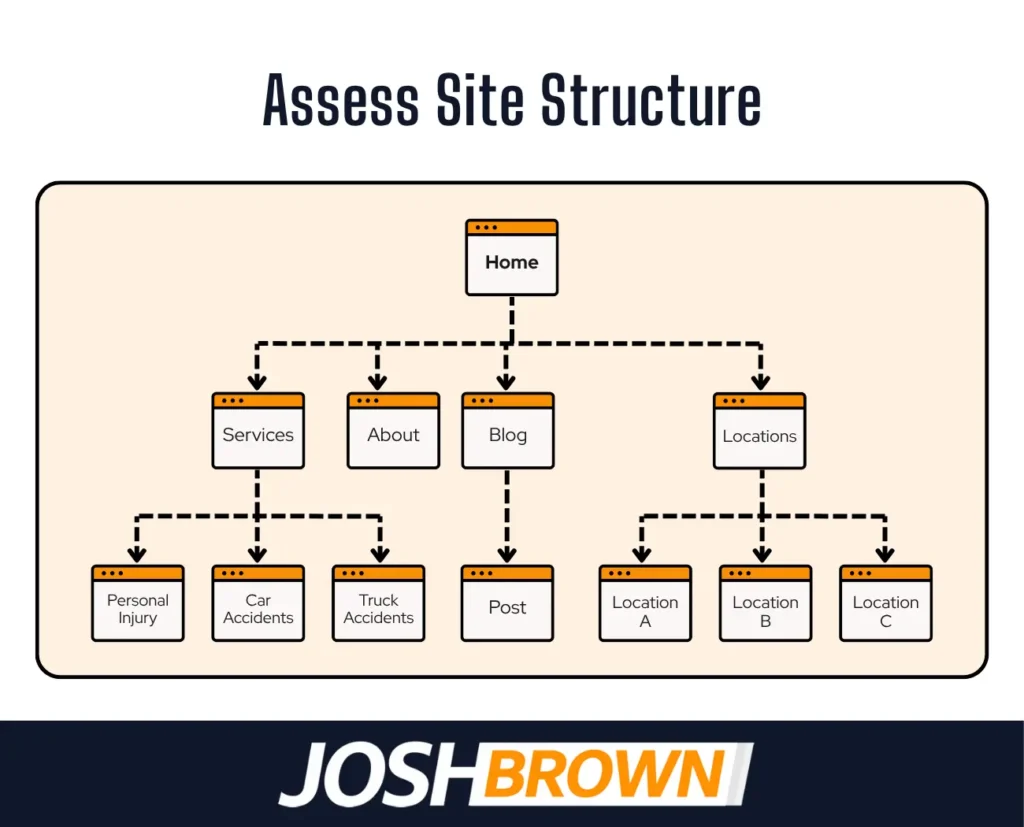
1. Assess Site Structure
Assessing site structure ensures search engines and users navigate your law firm’s website. A clean structure improves crawlability, indexation, and distributes link equity across all pages.
Law firm sites must organize pages logically, especially practice areas, with consistent URLs and internal links that connect related pages. This supports visibility in local SEO and clarifies site relevance.
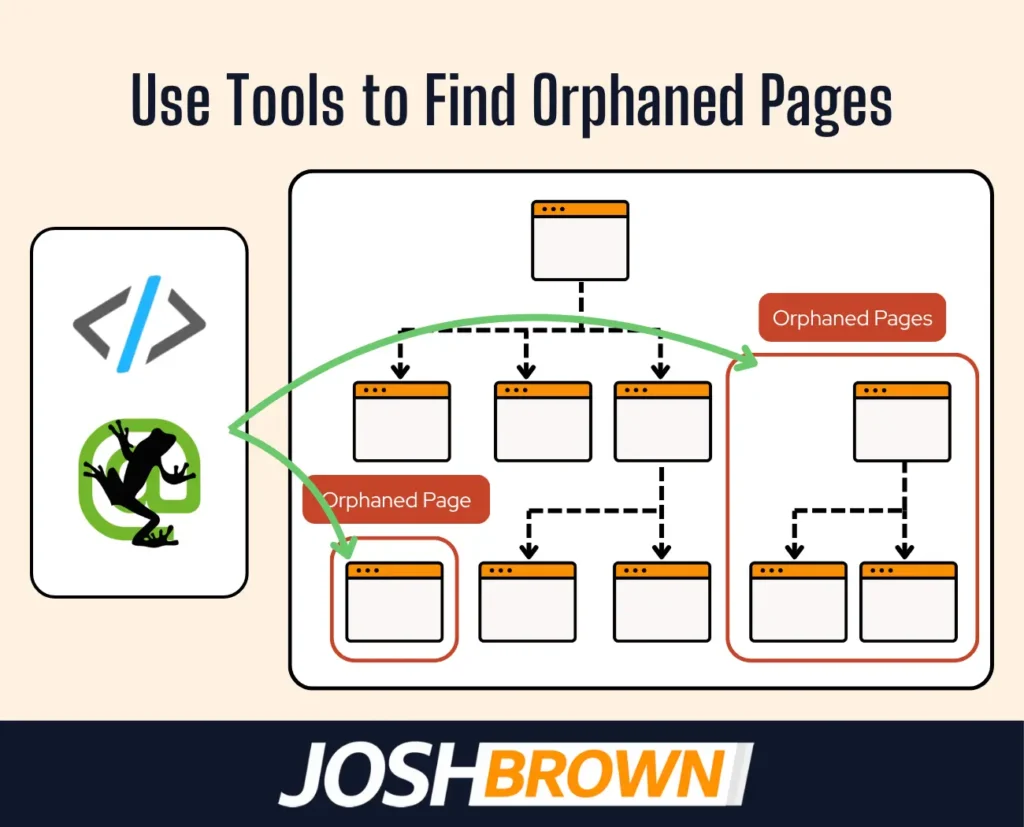
Use tools like Screaming Frog or Sitebulb to detect deep, orphaned, or disconnected pages and maintain a flat architecture with a clear hierarchy.
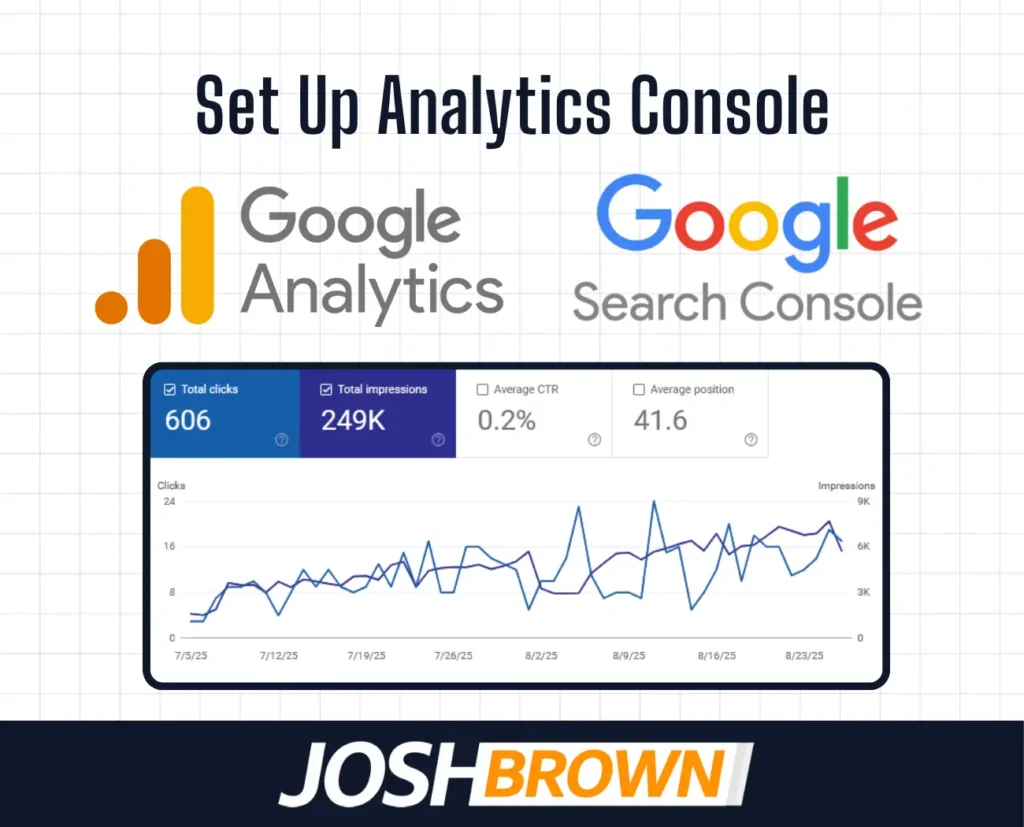
2. Set up Analytics Console
Setting up an analytics console allows you to track visitor behavior, traffic sources, and goal completions across your law firm’s website. Without it, you lack the data needed to measure SEO performance and user engagement.
Google Analytics and Google Search Console are essential. They reveal bounce rates, session durations, keyword impressions, and technical errors affecting crawlability or indexing.
To optimize insights, connect both platforms, configure conversion tracking (e.g., form submissions or calls), and regularly monitor trends to guide technical SEO updates and content strategy.
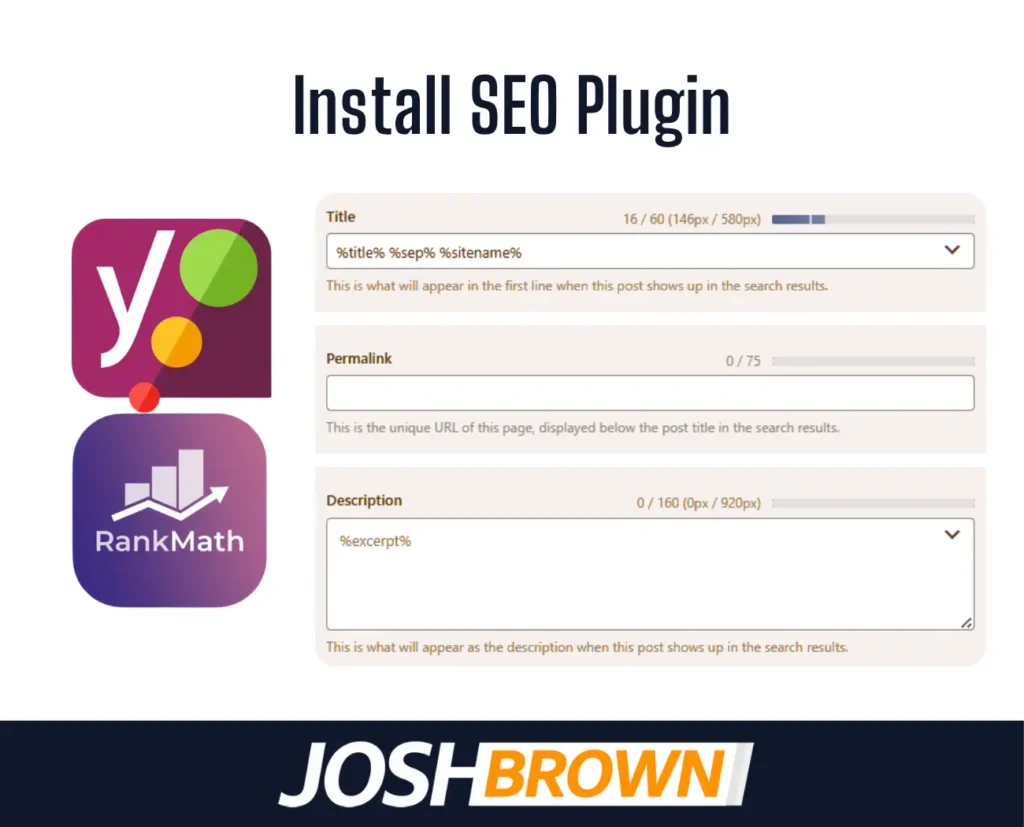
3. Install SEO Plugin
Installing an SEO plugin equips your law firm’s website with essential tools for managing metadata, generating sitemaps, and improving on-page optimization without manual coding. This is especially critical for WordPress sites where plugins streamline backend SEO tasks.
Plugins like Yoast SEO or Rank Math automate schema markup, canonical tag handling, and robot directives, directly influencing crawlability and search visibility. They also flag indexing issues, missing alt text, or duplicate content in real-time.
For best results, activate the plugin’s advanced features, configure title and meta templates, and enable sitemap and breadcrumbs functionality to support a clean, indexable site structure.
4. Create Sitemap File
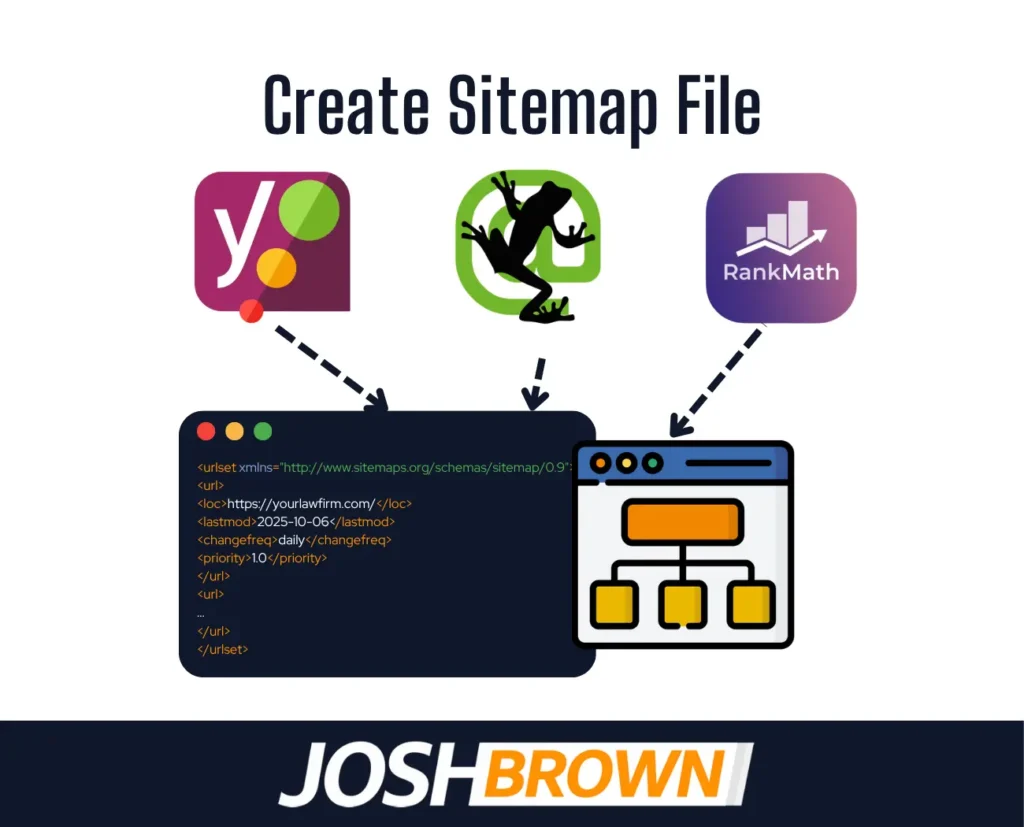
Creating a sitemap file is essential for guiding search engines through the structure of your law firm’s website, ensuring all important pages are discoverable and crawlable. A well-structured XML sitemap lists priority URLs, update frequencies, and last modified dates, helping Google and Bing index your site more efficiently.
This is especially important for large or complex legal websites with multiple practice areas or blog categories. Including only canonical URLs in the sitemap reduces crawl waste and prevents duplication.
Use tools like Yoast, Rank Math, or Screaming Frog to auto-generate and validate your sitemap, then submit it through Google Search Console for indexing insights and performance monitoring.

5. Configure Robots.txt
Configuring the robots.txt file is critical in a technical SEO audit because it controls which parts of your law firm’s website search engine bots are allowed to crawl. This file helps manage crawl budget and prevents indexing of irrelevant or sensitive pages like admin panels, login areas, or duplicate paths.
Improper configuration either blocks essential pages or exposes unnecessary directories, harming visibility and performance. For instance, disallowing /wp-admin/ but allowing /wp-admin/admin-ajax.php is common for WordPress-based law firm sites to retain form functionality without indexing backend paths.
Use Google Search Console’s robots.txt Tester to validate your file and ensure it aligns with your site’s indexability goals while preventing over-crawling or accidental de-indexing.
6. Validate Canonical Tags
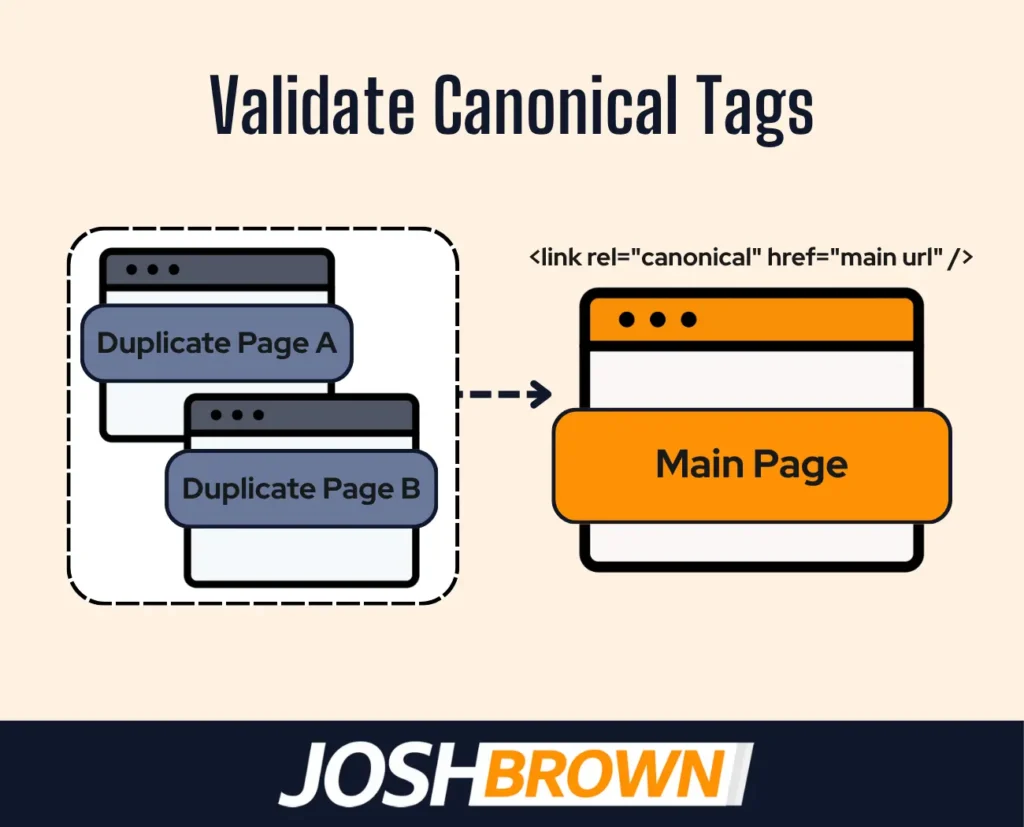
Validating canonical tags ensures that search engines recognize the preferred version of a law firm’s webpage when duplicate or near-identical content exists across URLs. Canonical tags help consolidate link equity and prevent keyword cannibalization by signaling which version must be indexed.
For example, if your firm’s blog is accessible via both /blog and /blog/index.html, setting the canonical to the cleaner version avoids diluting SEO signals. Incorrect or missing canonical tags result in poor ranking performance due to duplicate content confusion.
Audit your canonical tags using tools like Screaming Frog or Ahrefs to verify that each page points to itself (self-referencing) unless there’s a strategic reason to consolidate. Ensure no conflicting canonicals appear in the <head> section or HTTP headers.
7. Optimize Page Speed
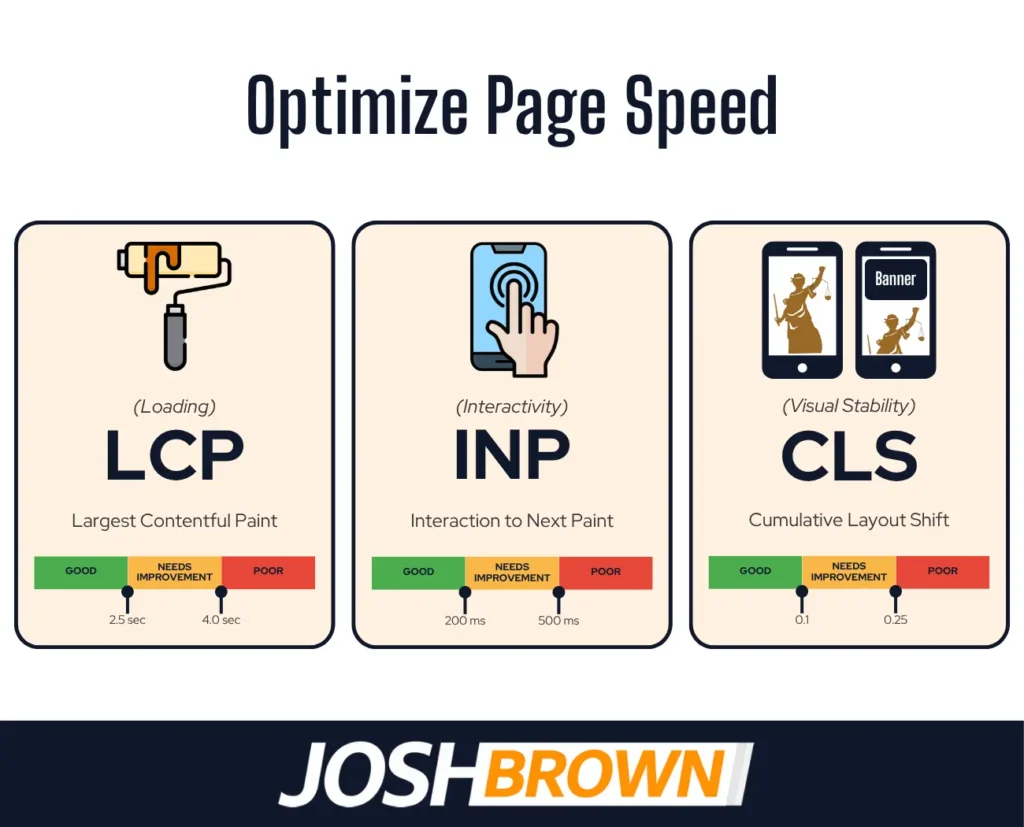
Optimizing page speed is critical in technical SEO audits because slow-loading law firm websites lead to higher bounce rates, lower engagement, and diminished search visibility. Google’s Core Web Vitals, such as Largest Contentful Paint (LCP), First Input Delay (FID), and Cumulative Layout Shift (CLS), directly influence rankings and user experience.
For law firms, delays of even one second reduce conversion rates, especially when prospective clients are seeking urgent legal help. Speed bottlenecks stem from uncompressed images, excessive JavaScript, server response times, and inefficient CSS.
Use tools like Google PageSpeed Insights, GTmetrix, or Lighthouse to diagnose performance issues. Implement solutions like image compression, lazy loading, server caching, and using a content delivery network (CDN) to reduce load times. Prioritize mobile performance, as Google uses mobile-first indexing.

8. Ensure Mobile-Friendly
Ensuring your law firm website is mobile-friendly is essential for technical SEO success, as Google prioritizes mobile-first indexing and most users now search from mobile devices. A non-responsive site harms rankings, reduces client trust, and leads to higher bounce rates.
Mobile optimization involves responsive design, touch-friendly buttons, readable fonts, and fast load times. Structural elements like viewport settings and flexible grid layouts ensure your legal content adjusts seamlessly across devices. Performance-wise, mobile users expect pages to load in under 3 seconds; delays drop conversion rates.
Use Google’s Mobile-Friendly Test and Search Console’s Mobile Usability report to identify issues. Fix overlapping elements, eliminate horizontal scrolling, and minimize intrusive interstitials. A streamlined mobile experience enhances accessibility, supports local SEO, and increases the likelihood that potential clients will stay, engage, and contact your firm.
9. Fix Broken Links
Fixing broken links is critical in a technical SEO audit because they disrupt site navigation, harm user experience, and signal poor maintenance to search engines, potentially lowering your law firm’s search rankings.
Broken links, whether internal or external, create dead ends that frustrate visitors and confuse crawlers, impacting indexability and link equity. From a performance and structure standpoint, they interfere with crawl flow and dilute SEO value across your site. This is especially damaging on high-authority legal pages like attorney bios or service areas.
Use tools like Screaming Frog, Ahrefs, or Google Search Console to identify 404 errors and redirect outdated URLs to relevant pages using 301 redirects. Regular link audits, especially after content updates or URL changes, help preserve trust, maintain crawl health, and reinforce a seamless site experience for clients and search engines alike.
10. Audit Structured Data
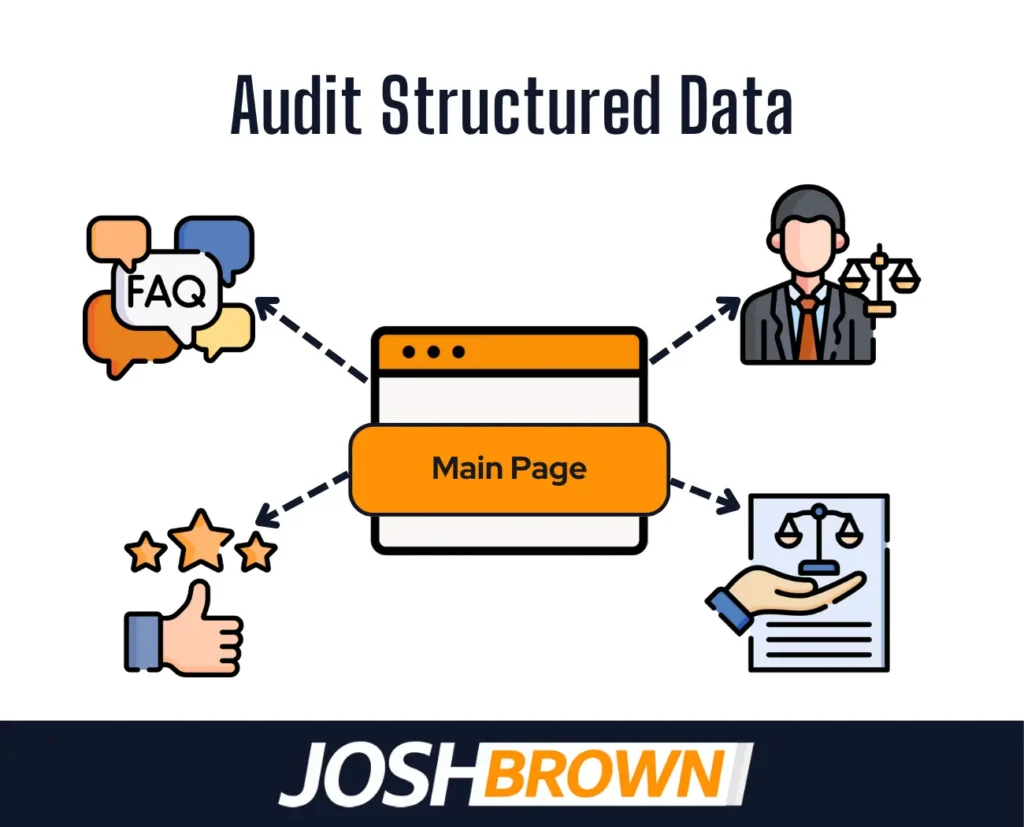
Auditing structured data ensures that your law firm website provides search engines with clear, standardized information to improve visibility in rich results and local search features.
Structured data, implemented using schema.org vocabulary, helps Google interpret key page elements like attorney profiles, practice areas, reviews, FAQs, and local business details. In a technical SEO audit, it’s essential to verify that the schema markup is present, accurate, and free from errors to enhance crawlability and indexing.
Tools like Google’s Rich Results Test and Schema Markup Validator identify missing or incorrect tags. For law firms, adding legalService schema and localBusiness attributes improves chances of appearing in improved SERP features like map packs and review stars. Regularly reviewing this data ensures ongoing compatibility with evolving Google standards and boosts your site’s authority and click-through rates.
11. Review Internal Linking
Reviewing internal linking strengthens your law firm’s site architecture by ensuring pages are connected logically and strategically to guide both users and search engines.
Effective internal links distribute page authority, improve crawl efficiency, and help highlight priority content like practice area pages, attorney bios, or blog resources. In technical SEO audits, broken links, orphan pages, and overly deep page nesting are red flags that limit discoverability and impact rankings.
To optimize internal linking, maintain shallow click depth (ideally within 3 clicks from the homepage), use descriptive anchor text, and prioritize linking high-authority pages to those needing ranking support. Use tools like Screaming Frog or Ahrefs to analyze link structure and identify issues. Regularly auditing and updating internal links ensures a coherent user journey and maximizes crawl budget efficiency.

12. Check HTTPS Security
Checking HTTPS security ensures your law firm’s website is encrypted, secure, and trusted by search engines and users alike.
Google considers HTTPS a ranking signal, and lacking it results in browser warnings, reduced traffic, and lower credibility, especially critical for law firms handling sensitive client information. A technical SEO audit must confirm that the SSL certificate is properly installed, active, and does not generate mixed content errors.
Best practices include redirecting all HTTP URLs to HTTPS, updating internal links to use secure protocols, and renewing certificates before expiration. Tools like SSL Labs and Google Search Console help verify HTTPS integrity and identify issues. Maintaining full-site HTTPS is essential for technical trust and legal SEO compliance.
13. Monitor Crawl Errors
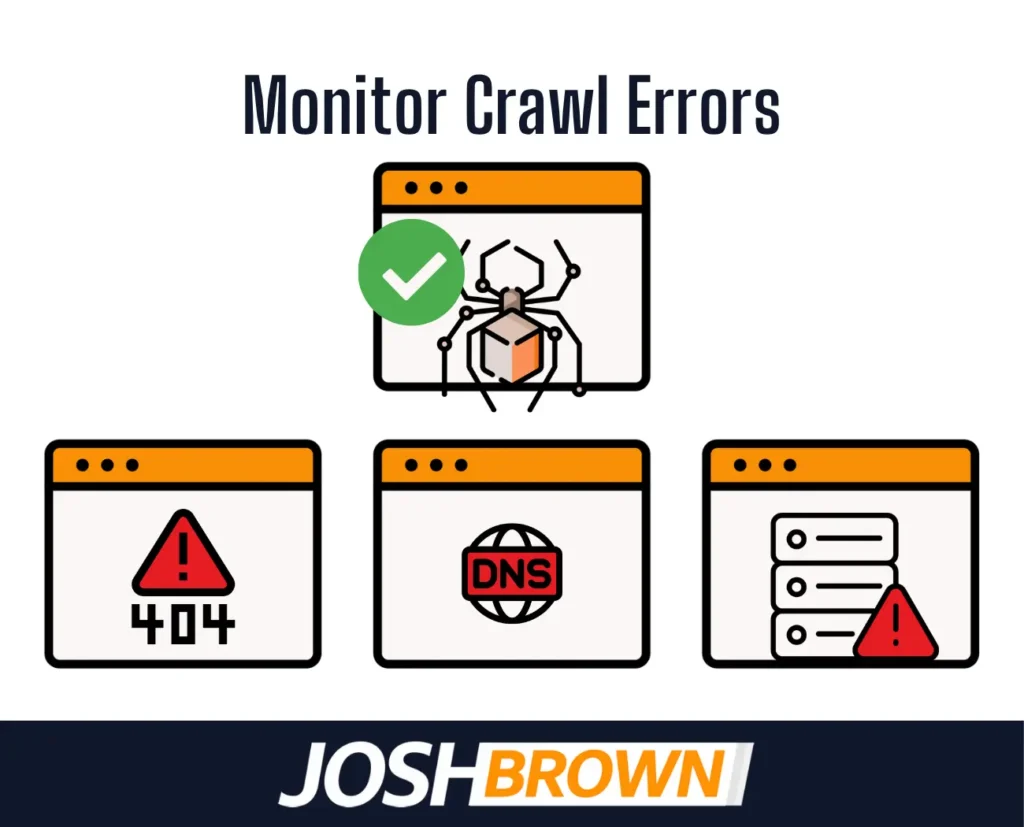
Monitoring crawl errors helps ensure that search engine bots access and index your law firm’s web pages without interruption.
Crawl errors, like 404 not found, server errors, or DNS issues, prevent key pages from appearing in search results, undermining your SEO visibility and user experience. During a technical SEO audit, it’s crucial to review Google Search Console’s crawl stats to identify and resolve these errors promptly.
Prioritize fixing broken links, resolving server response problems, and updating outdated URLs. Maintaining a clean crawl report supports full site indexation and ensures that your legal content remains discoverable by both users and search engines.
14. Evaluate URL Structure
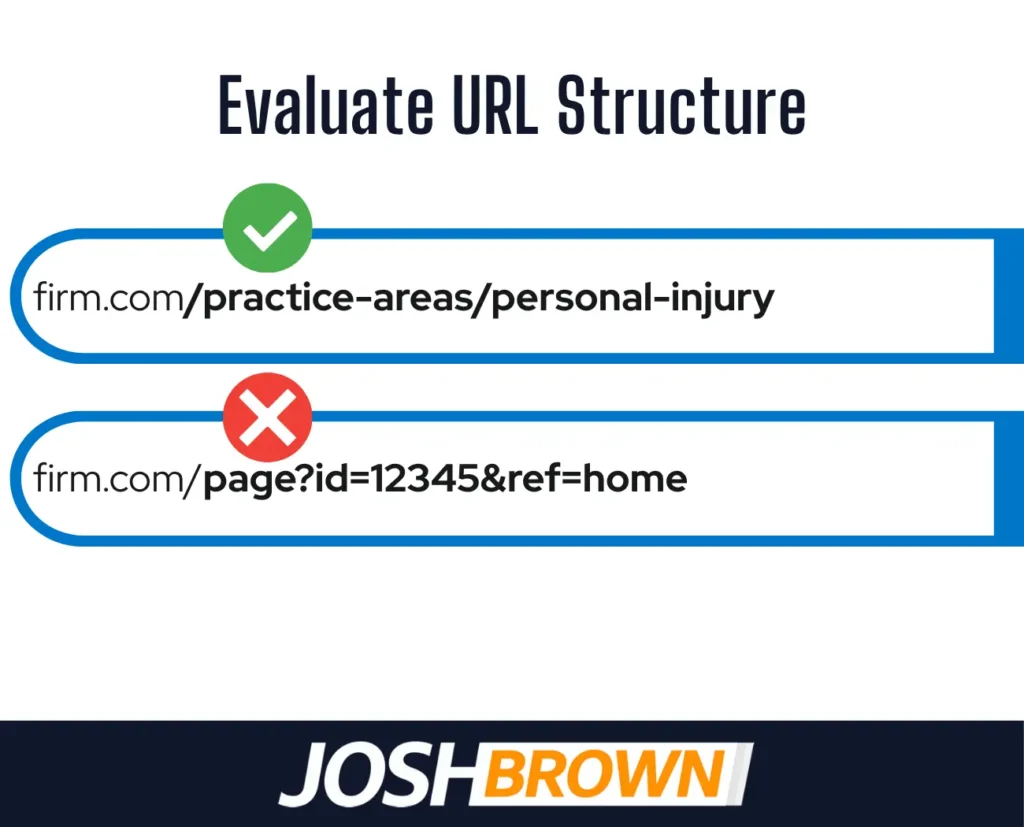
Evaluating URL structure ensures that your law firm’s website uses clean, readable, and SEO-friendly URLs that improve indexability and user trust.
Well-structured URLs reflect logical site architecture, include relevant keywords, and avoid unnecessary parameters or session IDs. For example, a URL like /practice-areas/personal-injury is more effective than /page?id=123&ref=pi. During a technical SEO audit, inconsistent or overly complex URLs must be flagged for standardization and redirection where needed.
Use lowercase letters, hyphens to separate words, and maintain short paths aligned with content hierarchy. Clean URLs not only improve crawl efficiency but also encourage higher click-through rates from search results.
15. Analyze Index Coverage
Analyzing index coverage involves checking which pages of your law firm’s website are indexed by search engines and identifying errors that prevent visibility.
This step ensures your valuable pages appear in search results while excluding thin, duplicate, or irrelevant content. Use Google Search Console’s Index Coverage report to spot pages marked as “Excluded,” “Crawled – currently not indexed,” or showing server errors. If key pages aren’t indexed, they won’t generate organic traffic or rank for legal queries.
Fix indexing issues by resolving crawl errors, removing noindex tags from important pages, and submitting updated sitemaps. Consistent index coverage monitoring maintains your firm’s SEO health and ensures that all core service and location pages are discoverable.
16. Conduct Content Audit
Conducting a content audit means reviewing all indexed pages on your law firm’s website to evaluate their SEO performance, quality, and relevance.
The purpose is to identify outdated, duplicate, or underperforming content that harms rankings or dilutes authority across your site. This includes analyzing traffic metrics, bounce rates, keyword targeting, and content freshness. For law firms, a poor content-to-page ratio, especially with thin bio, service, or FAQ pages, negatively impacts trust and user engagement.
To optimize content, consolidate overlapping articles, update legal references, improve on-page SEO, and add schema where relevant. Regular content audits align your site with Google’s quality standards and support sustained rankings for competitive legal terms.
17. Assess Backlink Quality
Assessing backlink quality involves evaluating the trustworthiness, relevance, and authority of external websites linking to your law firm’s domain.
High-quality backlinks from legal directories, bar associations, or reputable news outlets boost your domain authority and improve rankings. Conversely, toxic backlinks from spammy or irrelevant sites trigger Google penalties or suppress your visibility. Metrics such as domain rating (DR), anchor text diversity, and referring domain quality must guide your assessment.
Use tools like Ahrefs or SEMrush to identify harmful links, disavow them when needed, and focus on earning links from authoritative, niche-relevant sources. Prioritize organic link-building through PR, partnerships, and high-value content creation.
18. Track Performance Metrics
Tracking performance metrics involves monitoring key SEO indicators to evaluate the effectiveness of your law firm’s technical SEO efforts over time.
Metrics such as organic traffic, bounce rate, average page load time, crawl stats, indexed pages, and keyword rankings reveal whether your technical optimizations are improving site health and search visibility. Tools like Google Search Console, Google Analytics, and Ahrefs provide actionable insights into crawl frequency, user behavior, and ranking fluctuations.
To maintain strong performance, set benchmarks, schedule regular audits, and correlate technical changes (e.g., speed improvements or mobile fixes) with traffic and conversion trends. Prioritize continuous refinement based on data patterns and algorithm updates.
What is a technical SEO audit for law firms?
A technical SEO audit for law firms is a comprehensive evaluation of a legal website’s backend structure and performance elements to ensure it meets search engine requirements for crawling, indexing, and ranking. This includes assessing crawlability, fixing broken links, improving page speed, improving mobile responsiveness, and verifying canonical tags.
Conducting a technical SEO audit for law firm websites ensures that search engines efficiently access and interpret the site, which directly affects visibility in search results. Key components such as structured data, XML sitemaps, HTTPS security, and URL structure are also reviewed to eliminate indexing issues and boost performance. When executed correctly, this process helps law firms improve local search presence and maintain a competitive edge in digital visibility.
What are the key steps in performing a technical SEO audit for law firms?
The key steps in performing a technical SEO audit for law firms involve conducting a crawl analysis, checking mobile-friendliness, testing site speed, fixing broken internal and external links, ensuring HTTPS security, etc, systematically evaluating crawlability, indexing, speed, and structural integrity to enhance visibility and search engine compliance.
Listed below are the key steps in performing a technical SEO audit for law firms.
- Conduct a crawl analysis using tools like Screaming Frog to identify broken links, redirect issues, and crawl depth.
- Check mobile-friendliness to ensure the site performs well on all devices using Google’s Mobile-Friendly Test.
- Test site speed with PageSpeed Insights or GTmetrix and resolve slow-loading elements.
- Fix broken internal and external links that impact crawl flow and user trust.
- Ensure HTTPS security is implemented across all pages without mixed content.
- Set up Google Search Console to monitor index status, crawl errors, and performance metrics.
- Create or update the XML sitemap and submit it for indexing.
- Configure the robots.txt file to control crawl access and avoid indexing sensitive pages.
- Validate structured data using Schema.org markup for attorneys, legal services, reviews, and FAQs.
- Evaluate canonical tags and meta directives to prevent duplication and consolidate ranking signals.
What distinguishes technical SEO from general SEO in law firm websites?
What distinguishes technical SEO from general SEO in law firm websites is its focus on site infrastructure over content optimization. Technical SEO handles crawlability, indexability, page speed, mobile responsiveness, HTTPS security, and structured data. General SEO focuses on keywords, content quality, backlinks, and metadata.
For law firms, technical SEO ensures search engines will access and rank the site efficiently, while general SEO improves visibility through targeted content and authority signals. Both are essential, but without technical SEO, even strong content does not rank.
Which technical issues most commonly affect law firm SEO performance?
The most common technical issues affecting law firm SEO performance are slow page speeds, crawl errors, mobile-unfriendliness, duplicate content, and broken structured data.
Listed below are the 8 most common technical issues affecting law firm SEO performance.
- Slow page load times: Large images, uncompressed code, or poor hosting reduce rankings and increase bounce rates.
- Missing or duplicate meta tags: This confuses search engines about page relevance and causes cannibalization.
- Crawl errors: Broken internal links, server issues, or incorrect redirects prevent bots from accessing critical pages.
- Unoptimized mobile versions: Poor mobile usability negatively affects user experience and violates Google’s mobile-first indexing standards.
- Duplicate content: Repeating practice area pages or attorney bios without differentiation leads to ranking penalties or ignored pages.
- Improper use of canonical tags: Misconfigurations cause search engines to ignore preferred versions of pages.
- Blocked resources in robots.txt: Important JavaScript or CSS files are inaccessible, leading to rendering issues.
- Broken schema or missing structured data: Reduces eligibility for rich results like FAQs, reviews, and legal service details.
How can structured data and schema markup be optimized for law firms?
Structured data and schema markup can be optimized for law firms through targeted use of legal-specific schema types like LegalService, LocalBusiness, and Review to improve search visibility. Implementing schema markup correctly helps search engines understand key content such as attorney profiles, service areas, FAQs, and client reviews, which increases eligibility for rich snippets in search results.
Using schema markup customized to legal practices ensures your website communicates relevance and trustworthiness. Law firms must also validate their structured data using Google’s Rich Results Test and update markup as services or office locations change.
What tools are used to conduct a manual SEO audit for law firms?
Tools that are used to conduct a manual SEO audit for law firms include Screaming Frog, Google Search Console, GTmetrix, Ahrefs, SEMrush, and Sitebulb, each serving a unique role in diagnosing and improving site structure, speed, crawlability, and visibility.
Listed below are tools that are used to conduct a manual seo audit.
- Screaming Frog: Crawls your entire site to detect broken links, duplicate content, missing metadata, and canonical tag issues.
- Google Search Console: Monitors index coverage, crawl errors, mobile usability, and search performance.
- GTmetrix: Measures site speed and offers actionable recommendations to improve load times.
- Ahrefs: Evaluates backlink profiles, anchor text distribution, and identifies toxic links.
- SEMrush: Provides technical site audits, keyword tracking, and insights into site health and competitive benchmarks.
- Sitebulb: Offers visual crawl reports, structured data audits, and prioritizes SEO issues by severity.
Where to Get the Best Technical SEO Audit for Law Firms?
The best technical SEO audits tailored specifically for law firms is offered by prominent Law Firm SEO agencies like JoshBrown.io. Josh Brown specializes in helping legal websites rank higher and convert better by tackling the deeper technical layers of SEO that many overlook.
What sets JoshBrown.io apart is listed below.
- Precision-focused audits designed exclusively for the legal industry
- Proven success with boosting online visibility and site performance
- Deep expertise in authority building, topical maps, and service page optimization
From structured data fixes to site architecture improvements, they’ve built a reputation for transforming law firm websites into search engine magnets. If you want to dominate in your niche, they’ve got the roadmap.
Is Technical SEO More Important for Law Firms Than Content Optimization?
No, technical SEO is not more important than content optimization for law firms, but it takes priority when foundational issues prevent visibility and indexation. In highly competitive legal niches, even the most valuable legal content remains unseen if technical issues like crawl errors, poor mobile performance, or a misconfigured schema block search engine access.
That’s why strengthening both site infrastructure and content optimization is essential. See how a robust content optimization strategy complements technical fixes to maximize visibility. A 2024 BrightEdge study found that 51% of performance gains in legal websites came from resolving technical and content gaps together, not in isolation. For long-term success, both elements must work together to help a law firm’s website rank, convert, and scale effectively.